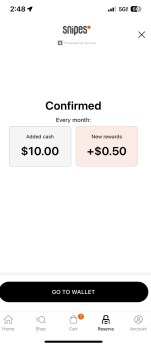
Transferring money to your SNIPES Reserve wallet:
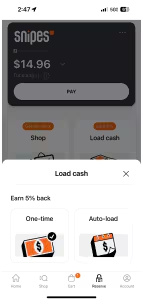
- Click “Load Cash” on the dashboard
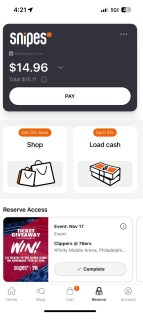
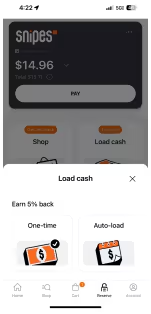
- Click on “One-time” for quick immediate transfer.
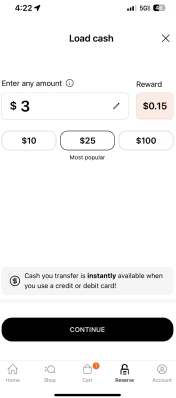
- Type in any amount or use the quick amount buttons and click ‘continue’.
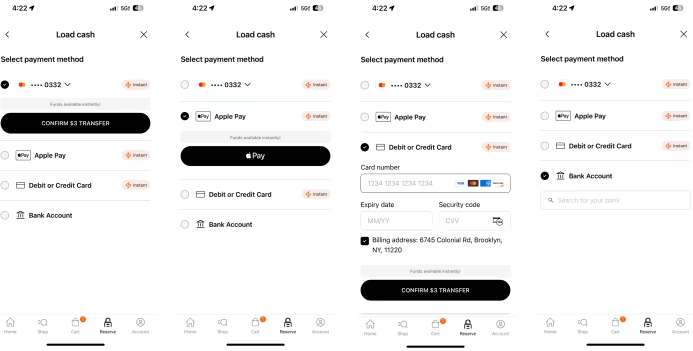
- Select payment method. By default, any added debit or credit card is selected first, but users can switch between options. Once selected, click on ‘confirm’.
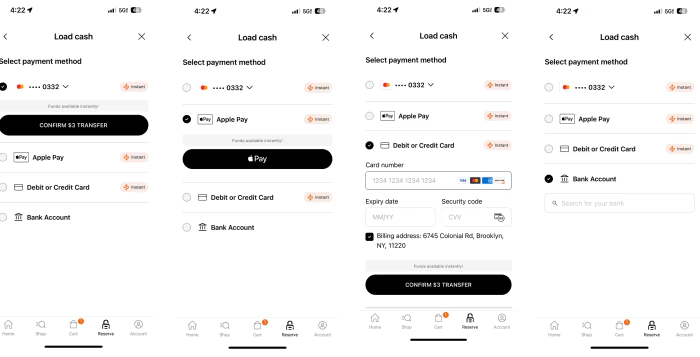
- After confirming the payment, you will see the processing screen, followed by the summary screen.
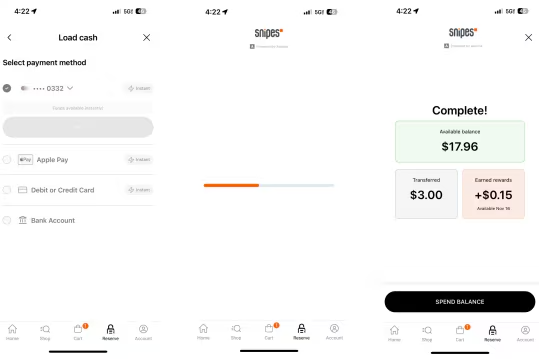
- Cash loaded with debit or credit cards will be available instantly. If a you load cash from a bank account, standard 3-5 day processing times apply. Rewards will be available 2 days after cash is loaded.
Setting ups Auto-Load Cash to your SNIPES Reserve wallet:
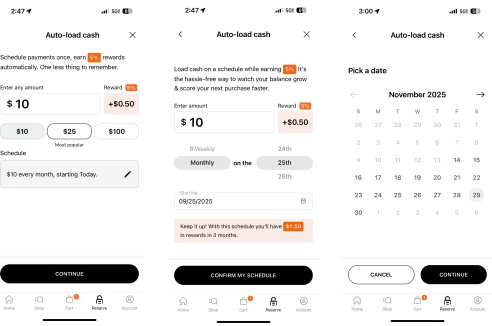
- Select ‘Auto-load’.
- Add in any amount and see the rewards associated with it. By default it is set at ‘$10, starting today’ but clicking on the ‘pencil’ icon will let you edit the frequency of the transfer and when it starts. Click confirm whenever you are happy with the choice.
- Select payment method. By default, any added debit or credit card is selected first, but you can switch between options. Once selected, click on ‘confirm’.
- That’s it! The money will move into your SNIPES Reserve wallet automatically on the date and schedule you choose.